This is the second post in our five-part educational series on RJ45 connectors and keystone jacks.
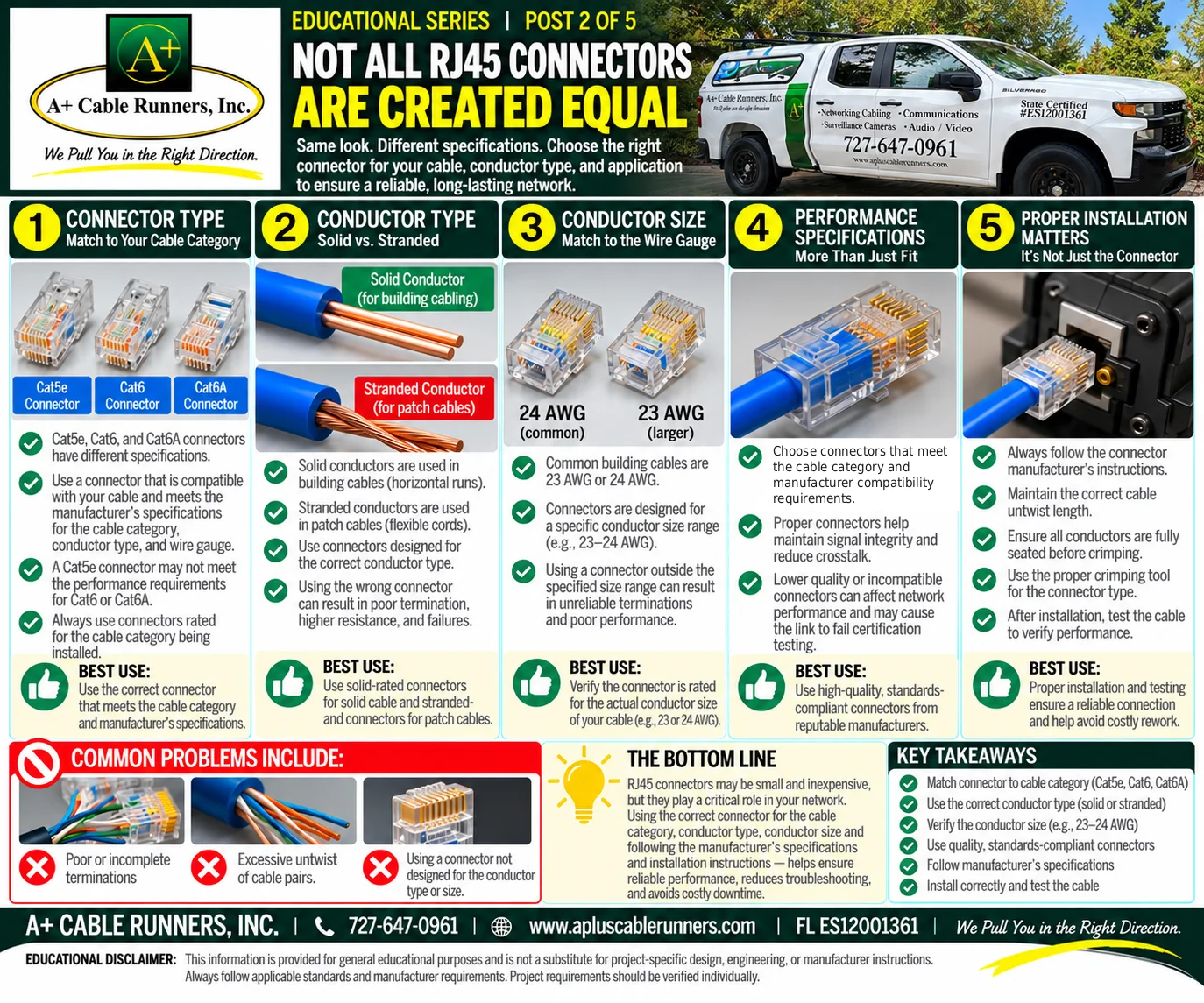
Same look, different specifications. A bag of RJ45 connectors from one supplier and a bag from another can look exactly alike. They may not be built for the same cable, and a connector that does not match the cable it goes on is a common reason a termination fails. Here are the five things to match.
1. Connector type: match the cable category
Cat5e, Cat6 and Cat6A connectors have different specifications. Use a connector that is compatible with your cable and meets the manufacturer's specifications for the cable category, conductor type and wire gauge. A Cat5e connector may not meet the performance requirements for Cat6 or Cat6A, so always use connectors rated for the category of cable being installed.
2. Conductor type: solid or stranded
Network cable comes with two kinds of conductor:
- Solid conductors are used in building cable, the horizontal runs in walls and ceilings.
- Stranded conductors are used in patch cables, the flexible cords between a wall jack and a computer or between a patch panel and a switch.
Each connector is rated for solid conductors, stranded conductors or both, so check the rating. Using a connector not designed for the conductor can result in poor termination, higher resistance and failures. Use a connector rated for solid conductors on solid cable, and one rated for stranded conductors on patch cables.
3. Conductor size: match the wire gauge
Common building cables are 23 AWG or 24 AWG; the lower number is the larger wire. Connectors are designed for a specific conductor size range, such as 23 to 24 AWG, and for a maximum insulation and jacket diameter. A connector used outside its specified range can give unreliable terminations and poor performance. Check that the connector is rated for the actual conductor size of your cable.
4. Performance specifications: more than just fit
A connector that physically fits the cable is not necessarily the right connector. Choose connectors that meet the cable category and the manufacturer's compatibility requirements. Proper connectors help maintain signal integrity and reduce crosstalk, the interference between pairs. Lower-quality or incompatible connectors can affect network performance and may cause the link to fail certification testing. Use high-quality, standards-compliant connectors from reputable manufacturers.
5. Proper installation matters
The right connector still has to be installed the right way:
- Follow the connector manufacturer's instructions.
- Keep the cable untwist length to what the manufacturer and standards allow.
- Make sure every conductor is fully seated before crimping.
- Use the crimping tool the connector is designed for.
- Test the cable after installation to verify performance.
Common problems
When we troubleshoot a connection that keeps dropping, the same few causes come up again and again: poor or incomplete terminations, too much untwist in the cable pairs, and connectors that were not designed for the conductor type or size.
The bottom line
RJ45 connectors may be small and inexpensive, but they play a critical role in your network. Using the correct connector for the cable category, conductor type and conductor size, and following the manufacturer's specifications and installation instructions, helps ensure reliable performance, reduces troubleshooting and avoids costly downtime. Post 3, publishing tomorrow, turns to the other end of the connection: the keystone jack.
To see the cabling work we do, visit our computer network cabling page.
Information is provided for general education. It is not a substitute for project-specific design, engineering or manufacturer instructions. Always follow applicable standards and manufacturer requirements. Project requirements should be verified individually.