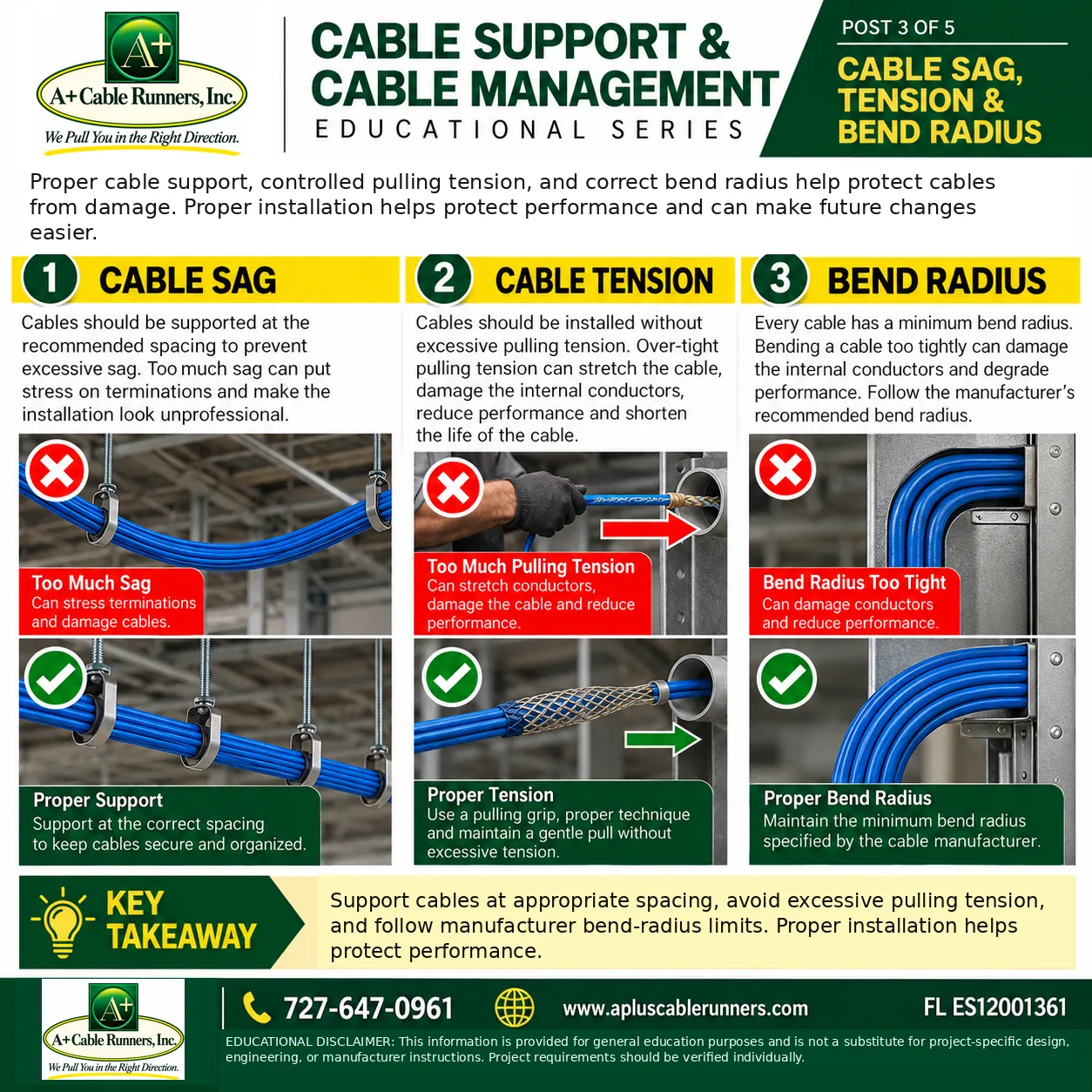
This is post 3 of our five-part educational series on cable support and cable management. Post 2 covered the hardware that carries the cable. This one covers what happens to the cable itself.
Proper cable support, controlled pulling tension and correct bend radius help protect cable from damage. Sag and pulling damage are hard to see once the ceiling tiles are back in place, which is why all three are worth getting right during installation. Proper installation helps protect performance and can make future changes easier.
1. Cable sag
Cable should be supported at the recommended spacing to prevent excessive sag. Too much sag between supports puts weight and strain on the cable, can put stress on the terminations at either end and makes the installation look unprofessional.
The fix is support at the correct spacing, with hardware sized for the bundle, so the cable stays secure and organized. For J-hooks and other noncontinuous supports, hardware maker nVent's data sheets state a maximum spacing of 5 feet (1.5 meters), citing the TIA-569-C pathways standard, section 9.7. Post 2 covers the support types.
2. Pulling tension
Cable should be installed without excessive pulling tension. Pulling too hard can stretch the cable, damage the internal conductors, reduce performance and shorten the life of the cable.
There is a number for this. TIA's 568 cabling standards have long set the maximum pulling tension for 4-pair, 24 AWG horizontal twisted-pair cable at 110 newtons, or 25 pounds-force, to avoid stretching the conductors during installation. The cable manufacturer's data sheet may state its own limit for a specific cable.
Good practice is to use a pulling grip and proper technique, and to keep a steady, gentle pull rather than yanking cable through a tight spot.
3. Bend radius
Every cable has a minimum bend radius. Bending a cable too tightly can damage the internal conductors and degrade performance. The ANSI/TIA-568.0 standard, since its D revision in 2015, sets the minimum inside bend radius for unshielded 4-pair twisted-pair cable at four times the overall cable diameter. For a cable about a quarter inch across, that works out to about one inch. Follow the manufacturer's recommended bend radius, which takes precedence where it is stricter.
Tight bends often happen where nobody is looking: at the entry to a box or panel, where a bundle turns a corner, or where a support is too small for the bundle it carries.
Why a basic test may not catch it
A cable that was stretched or bent too tightly can still be wired correctly, so a basic continuity or wire map test may show nothing wrong. Certification testing measures transmission performance against the limits for the cable's category. Our earlier post on a basic cable test vs. certification explains the difference.
Key takeaway
Support cables at appropriate spacing, avoid excessive pulling tension and follow the manufacturer's bend-radius limits. Proper installation helps protect performance. To see the cabling work we do, visit our computer network cabling page.
Information is provided for general education. It is not a substitute for project-specific design, engineering or manufacturer instructions. Project requirements should be verified individually.